Top‑Rated 7.1 Surround Sound Headsets – Buying Guide for Serious Gamers
Problem: You tried software‑based “virtual” surround and still miss enemy footsteps. The market is flooded with vague claims, making it hard to tell which headset actually delivers hardware‑based 7.1.
Solution: This guide cuts through the hype. We explain the key specifications, walk through the main headset categories, and show how to match a model to your platform, play space, and budget.
Quick picks
- All‑in‑one wired USB headset – plug‑and‑play, ideal for PC and consoles that accept USB audio.
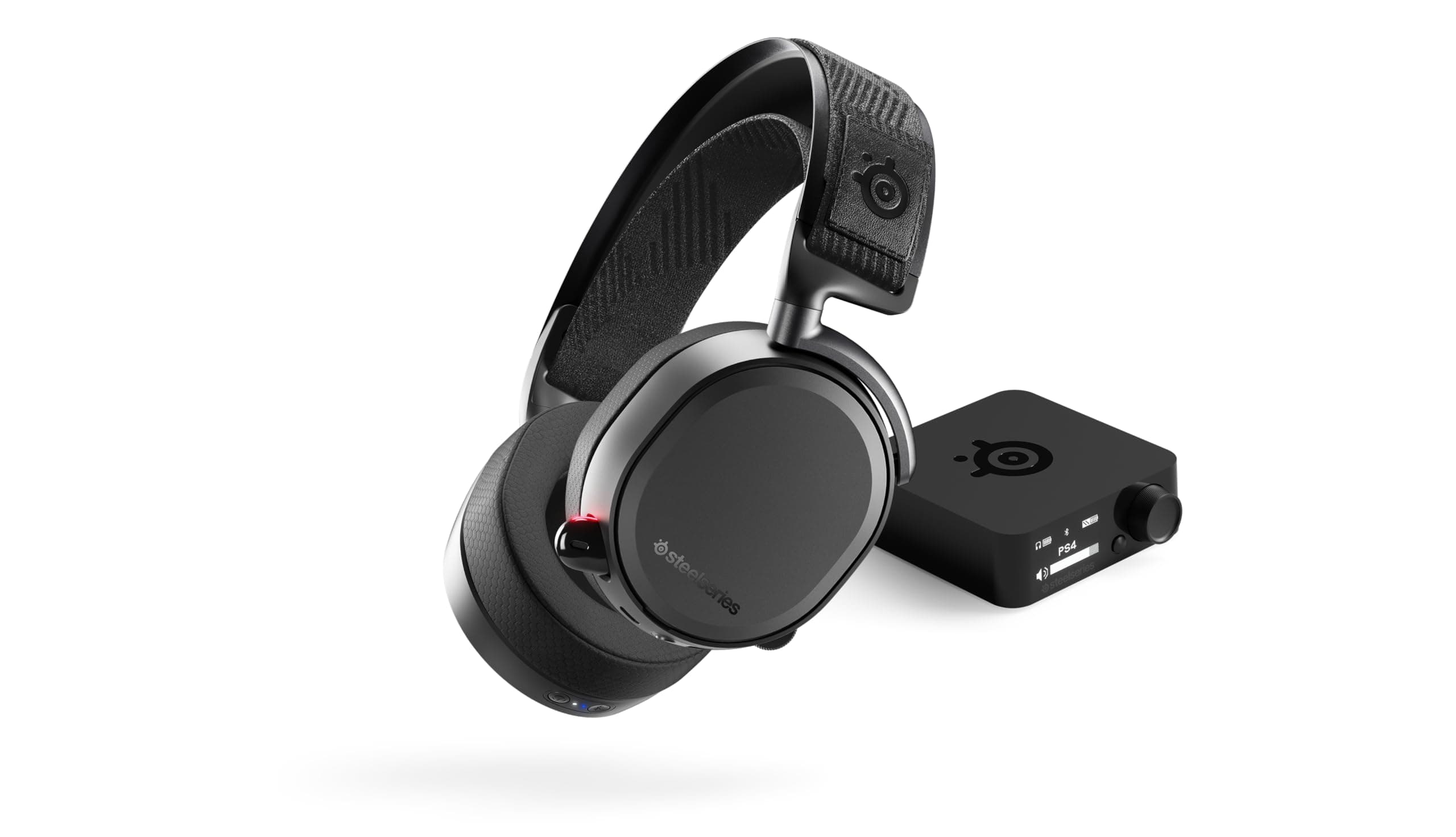
- Wireless over‑ear headset with a USB dongle – freedom of movement with true hardware 7.1 decoding.
- Hybrid wired/wireless headset – switch between low‑latency wired mode and wireless for couch‑co‑op.
- Compact on‑ear headset – light, fits under VR rigs, still offers 7.1 drivers.
- Premium audiophile‑grade headset – large planar‑magnetic drivers, high‑impedance amp, swappable cushions.
What to look for
True vs. virtual 7.1
True 7.1 headsets contain seven physical drivers (or a dedicated sound‑card) that handle separate channels before mixing to the two ear cups. Virtual 7.1 relies on software simulation. Look for “hardware‑based 7.1” or “7.1 discrete drivers.”
Driver size and type
Drivers of 40 mm–50 mm move more air, giving deeper bass and clearer highs. Planar‑magnetic drivers add detail but increase weight and price. Choose a size that balances comfort with the sound signature you want.
Connection method and latency
- USB – digital link with built‑in DAC and surround processor; latency usually < 10 ms.
- Wireless (2.4 GHz dongle) – freedom of movement; aim for ≤ 20 ms latency and a dedicated RF channel (avoid Bluetooth).
- Hybrid – wired USB or 3.5 mm line‑out for zero‑lag play, wireless for casual sessions.
Mic quality and noise‑cancellation
Prefer a unidirectional or bidirectional capsule with active noise cancellation (ANC). Detachable mics simplify cleaning; a mute switch is a must for heated matches.
Comfort and build quality
Long sessions need lightweight frames, breathable ear‑cup padding (memory‑foam + leatherette or mesh), and an adjustable headband. Aluminum or reinforced plastic strikes a good weight‑durability balance.
Software support and customization
Companion apps let you tweak EQ, adjust individual channel levels, and disable surround for music. Confirm the software runs on your OS (Windows 10/11, macOS, or console apps) and receives regular updates.
Compatibility with consoles
Most USB headsets work on Xbox Series X|S and PS5, but some consoles limit 7.1 to optical or HDMI‑audio pass‑through. Look for “Xbox/PlayStation compatibility” and any required adapters (e.g., USB‑to‑optical breakout).
Our picks
The all‑in‑one wired USB headset
A straight‑through USB cable guarantees true 7.1 decoding without driver conflicts. The headset typically includes a USB sound card, a 7.1 discrete driver array, and a high‑grade ribbon microphone with ANC.
Ideal for: PC shooters, MOBA, or any title where latency matters. Works on consoles that support USB audio, making it a family‑friendly plug‑and‑play option.
Trade‑offs: Fixed cable restricts movement; internal sound card adds weight. Choose a model with a padded headband for marathon sessions.
Shop this type: Check price on Amazon →
Wireless over‑ear headset with a dedicated 2.4 GHz dongle
A dedicated RF dongle handles surround processing before the signal reaches the headset. Expect 12‑20 hours of battery life and quick‑charge docks.
Ideal for: Couch gamers who want freedom without sacrificing hardware 7.1.
Trade‑offs: Latency around 15‑20 ms, battery management, occasional faint digital noise when the battery drops below 20 %.
Shop this type: Check price on Amazon →
Hybrid wired/wireless headset
Provides a USB cable for zero‑lag play and a 2.4 GHz wireless mode for living‑room tournaments. A dual‑mode button on the ear cup toggles between the two.
Ideal for: Streamers who need rock‑solid low latency while recording, yet want wireless for casual play.
Trade‑offs: Extra circuitry adds bulk and cost; switching modes takes a few seconds.
Shop this type: Check price on Amazon →
Compact on‑ear headset for small spaces
On‑ear designs sit lower on the head, making them light and travel‑ready. Many models use an external USB sound card that supplies six dedicated drivers plus a virtual channel, still qualifying as “7.1 hardware.”
Ideal for: LAN parties, VR rigs, or users who dislike bulky over‑ear cups.
Trade‑offs: Ear cushions can warm up; isolation is weaker; bass response is tighter, which some players prefer for clarity.
Shop this type: Check price on Amazon →
Premium audiophile‑grade headset
Combines 50 mm planar‑magnetic drivers, a 24‑bit/96 kHz DAC, and a detachable cable system for future upgrades. Includes swappable ear pads (leather, velour, hybrid) and a studio‑grade condenser mic.
Ideal for: Users who also demand high‑fidelity music, movie editing, or simulation games where nuance matters.
Trade‑offs: Higher price, added weight, and some consoles may not expose the full 24‑bit audio path.
Shop this type: Check price on Amazon →
How to choose
- Match connection to platform. PC gamers usually benefit from wired USB for sub‑10 ms latency. Console players often prefer a dongle‑based wireless unit unless the console supports optical audio.
- Consider your environment. Couch‑oriented gamers need freedom of movement → wireless or hybrid. Competitive esports athletes prioritize wired for absolute minimal lag.
- Balance comfort vs. fidelity. Large drivers and premium housings deliver richer audio but add weight. For 4‑6 hour sessions, prioritize memory‑foam cushions and an adjustable, lightweight headband.
- Plan for the future. Look for models with software updates, detachable mics, and replaceable ear pads. These features extend lifespan and keep sound quality fresh.
Answer these three questions—platform, play space, comfort vs. fidelity—to narrow the field, then use the “Shop this type” links to compare specific models.
FAQ
Does true 7.1 require a separate sound card?
Not necessarily. Many headsets embed a dedicated 7.1 processor inside the ear cups or dongle, eliminating the need for an external card. A separate DAC is only useful if you also want high‑resolution music playback.
Can I use a 7.1 headset on a PlayStation 5?
Yes, when the headset connects via USB or includes a compatible optical adapter. Enable “Audio Format (Priority)” in the PS5 sound menu to ensure surround output.
Will a wireless 7.1 headset introduce noticeable lag in fast shooters?
Modern 2.4 GHz wireless headsets stay under 20 ms latency, which is acceptable for most shooters. Competitive players still favor wired connections for sub‑10 ms guarantees.
How important is microphone noise cancellation?
Crucial in team‑based games. ANC reduces background chatter, making your voice clearer to teammates. Look for “ANC mic” or “noise‑canceling boom mic.”
Do I need to calibrate the 7.1 channels?
Most headsets ship pre‑calibrated for a standard speaker layout. PC companion apps may let you fine‑tune each channel, but calibration is optional.
Are there health concerns with 7.1 headsets?
No specific risks. Keep volume below 85 dB for extended periods to protect hearing.
Can I use a 7.1 headset for movies and music?
Absolutely. The same spatial cues that locate enemies also make movie soundtracks feel cinematic. Many headsets offer a “Game Mode” toggle to switch to a music‑friendly profile.
Bottom line
Choosing a top‑rated 7.1 headset reduces to three decisions: connection method, form factor, and comfort vs. fidelity. Wired USB models deliver the lowest latency, wireless dongle units give freedom, hybrids let you switch on the fly, and premium audiophile kits provide unmatched detail. Use the “Shop this type” links to compare models in the category that matches your needs, and you’ll hear every footstep, gunshot, and distant roar with crystal‑clear precision. Happy gaming!