RGB Lighting vs Minimalist Design in Gaming Gear
You want a gaming setup that improves performance without crowding your desk, but you’re torn between flashy RGB and a clean, low‑profile look. This guide breaks down the practical trade‑offs, shows which environments each style thrives in, and points you to the gear that fits your play style and budget.
Quick picks
- Full‑RGB immersion rigs – streamers and gamers who want every component to pulse in sync.
- Sleek minimalist stations – competitive players who prefer a distraction‑free view.
- Hybrid blend setups – shared spaces that need a pop of color without overwhelming the room.
- Portable minimalist accessories – LAN‑party go‑getters who need compact, low‑profile gear.
- High‑impact RGB ambient lighting – home‑theater‑style rooms that double as entertainment hubs.
What to look for
1. Aesthetic cohesion vs visual clutter
RGB can turn a desk into an immersive "gaming cave" when lights are coordinated across monitor backlights, keyboards, and case fans. Mismatched colors or overly bright strips distract from onscreen information, especially in fast shooters. Minimalist gear uses matte finishes and neutral tones, letting the game’s colors shine. Ask yourself: Does the lighting enhance the view or compete with it? Choose RGB only if you can sync hues across devices; choose minimalist if you want single‑tone finishes that blend with your room.
2. Sync and customization software
Good RGB ecosystems let you set static colors, breathing cycles, or reactive patterns that respond to in‑game events. Compatibility with platforms such as Corsair iCUE, Razer Synapse, or Logitech G‑Hub signals future‑proofing. Minimalist products often have no software, offering a simple on‑device switch or none at all. If you love tweaking palettes, prioritize unified control panels; if you prefer set‑and‑forget, go minimalist.
3. Build quality and material finish
Entry‑level RGB peripherals often hide plastic shells to keep costs down. High‑end minimalist gear tends toward aluminum, brushed steel, or premium ABS, yielding sturdier feels and better heat dissipation. Look for reinforced keyboard hinges, solid stand frames, and non‑slip mousepad bases. A heavier chassis also reduces vibration, which matters for precision FPS play.
4. Power draw and heat management
LED strips consume only a few watts, but multiple zones (keyboard, mouse, headset, case) can push total draw into double digits, affecting PSU load and case temperature in compact builds. Minimalist gear eliminates lighting, reducing power needs and simplifying cooling. Seek low‑power products or ones with temperature sensors that dim lights when the system heats up.
5. Compatibility with your ecosystem
Do you already own a Razer mouse, Logitech headset, and ASUS monitor? Mixing brands can fragment lighting control. Some manufacturers offer open‑source plugins, but cross‑brand syncing is hit‑or‑miss. Minimalist gear sidesteps the issue entirely. Verify that devices share the same SDK or that a third‑party tool like OpenRGB can integrate them.
6. Impact on ergonomics and gameplay focus
Bright RGB can create a halo effect that draws eyes away from the screen, especially in low‑light rooms. Minimalist designs keep the visual field centered on the monitor, reducing eye strain and improving reaction times. Look for adjustable brightness, zone‑off switches, or matte anti‑glare surfaces—features that support ergonomic play regardless of style.
7. Longevity and maintenance
LEDs last long, but surrounding hardware ages. Sealed RGB modules resist dust, while exposed metal frames on minimalist gear often resist wear better. Choose products with replaceable light strips or easy‑to‑clean surfaces. A matte‑finish keyboard typically needs only a wipe; a glowing mousepad may accumulate grime in seams and require more care.
Our picks
Full‑RGB Immersion Rigs
Ideal for streamers, media‑center gaming rooms, or anyone who loves a synchronized light show. Look for a monitor with built‑in backlight zones, a mechanical keyboard with per‑key RGB, and a case that supports addressable strips in multiple zones. The trade‑off is higher upfront cost and software management across devices, but the payoff is a cohesive visual experience that can boost viewer engagement and give subtle performance cues (e.g., a red glow when health is low).
Shop this type: Check price on Amazon →
Minimalist Ultra‑Thin Monitor Stands
Competitive players benefit from a rock‑solid, distraction‑free platform. Ultra‑thin stands in matte black or gun‑metal finish often feature built‑in cable management and a low profile that keeps desks uncluttered. No lighting means no power draw and fewer moving parts, translating to longer durability. The compromise is the loss of visual flair, but the clean silhouette makes high‑refresh‑rate monitors feel premium.
Shop this type: Check price on Amazon →
Hybrid RGB‑Minimalist Light Strips
A narrow RGB strip that runs along the back edge of a desk or under a floating shelf satisfies both camps. Choose strips that dim to a soft amber or turn off completely, enabling "focus mode" and "ambient mode" with a single button. Costs are modest and installation is tool‑free with adhesive backing. The downside is an extra cable, but most kits include a single controller to keep things tidy.
Shop this type: Check price on Amazon →
Low‑Profile Monochrome Mechanical Keyboards
Monochrome chassis (black, white, or dark grey) deliver tactile switch joy without visual noise. Look for PBT keycaps and detachable USB‑C cables to keep setups sleek. Some models offer a single white backlight that can be disabled entirely. You lose the "show‑off" factor, but gain legibility under any lighting and seamless decor integration.
Shop this type: Check price on Amazon →
Portable Minimalist Mousepads with Texture
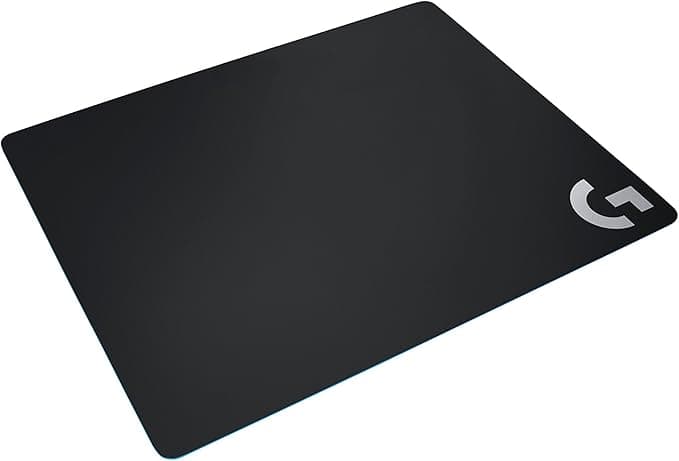
Travel‑ready pads made from low‑friction fabric and framed in matte aluminum provide precision without LEDs. Rubberized bases stay put on any surface, perfect for LAN parties or hot‑desking. No lighting means the pad stays cool during marathon sessions. The only trade‑off is missing a "wow" factor, but functional benefits often outweigh visual appeal for serious gamers.
Shop this type: Check price on Amazon →
How to choose
- Define your primary goal. Streamers need visual impact and brand consistency → full‑RGB rigs. Esports competitors need distraction‑free focus → minimalist stands, monochrome keyboards. Shared spaces benefit from hybrid strips.
- Audit your existing ecosystem. Matching brands simplify lighting control; mixed environments may push you toward minimalist pieces to avoid sync headaches.
- Consider practical constraints. Desk size, power budget, and maintenance willingness matter. A compact mousepad solves space issues; a high‑end RGB case may require a stronger PSU.
Map purpose, compatibility, and practicality to zero in on the style that enhances performance and aesthetics without overcomplicating your rig.
FAQ
What is the biggest performance benefit of RGB lighting?
RGB itself doesn’t boost frame rates or reduce input lag, but reactive lighting can provide quick visual cues (e.g., a flash when health is low) that help you react faster.
Does a minimalist monitor stand affect screen stability?
High‑quality minimalist stands use solid metal arms and robust bases, often delivering equal or better stability than bulkier models.
Can I disable RGB on a full‑RGB keyboard without losing functionality?
Yes—most RGB keyboards let you turn off lighting via a function key or companion software while retaining all key‑press features.
Will RGB lighting increase my electricity bill?
The power draw is minimal (typically under 10 W for a full keyboard, mouse, and strip combo), so any cost increase is negligible.
How do I keep matte surfaces from showing fingerprints?
A light microfiber cloth and occasional use of a matte‑safe cleaning spray will keep surfaces clean without dulling the finish.
Is there a health risk from long‑term exposure to bright RGB?
LED lighting is safe for typical gaming sessions; the only concern is eye strain from excessive brightness, which can be mitigated by dimming or turning off zones.
Should I buy a hybrid lighting solution for a small apartment?
Hybrid strips are ideal for small spaces because they provide ambience without overwhelming the room, and they can be dimmed or hidden when you need a minimalist vibe.
Bottom line
RGB lighting adds personality, cueing, and stream‑ready flair. Minimalist gear delivers focus, durability, and timeless looks. Choose based on how you play, where you game, and how much visual complexity you can manage. Weigh aesthetics against ergonomics, syncing needs against power budget, and personal style against room constraints to craft a gaming environment that feels uniquely yours—and performs at its best.