How to Choose a Gaming Monitor for 1440p
Problem: You’ve upgraded past 1080p, but 4K taxes your GPU and the image still feels soft on a 27‑inch screen. You need a monitor that delivers sharper detail, smooth motion, and the right balance of price and performance.
A 1440p (2560 × 1440) panel hits that sweet spot. It provides enough pixel density for a crisp picture at typical desk distances while letting modern GPUs sustain 144 Hz + refresh rates without extreme power draw. The real decision isn’t just resolution; panel technology, adaptive‑sync, HDR, ergonomics, and price all shape the final experience.
In this guide we break down the essential specs, show how they map to common gaming styles, and present three‑plus monitor families that consistently meet the needs of serious gamers.
Quick picks
- Competitive‑focused 27‑inch IPS, 144 Hz+ – Ultra‑low input lag, accurate colors, flat panel for fast FPS titles.
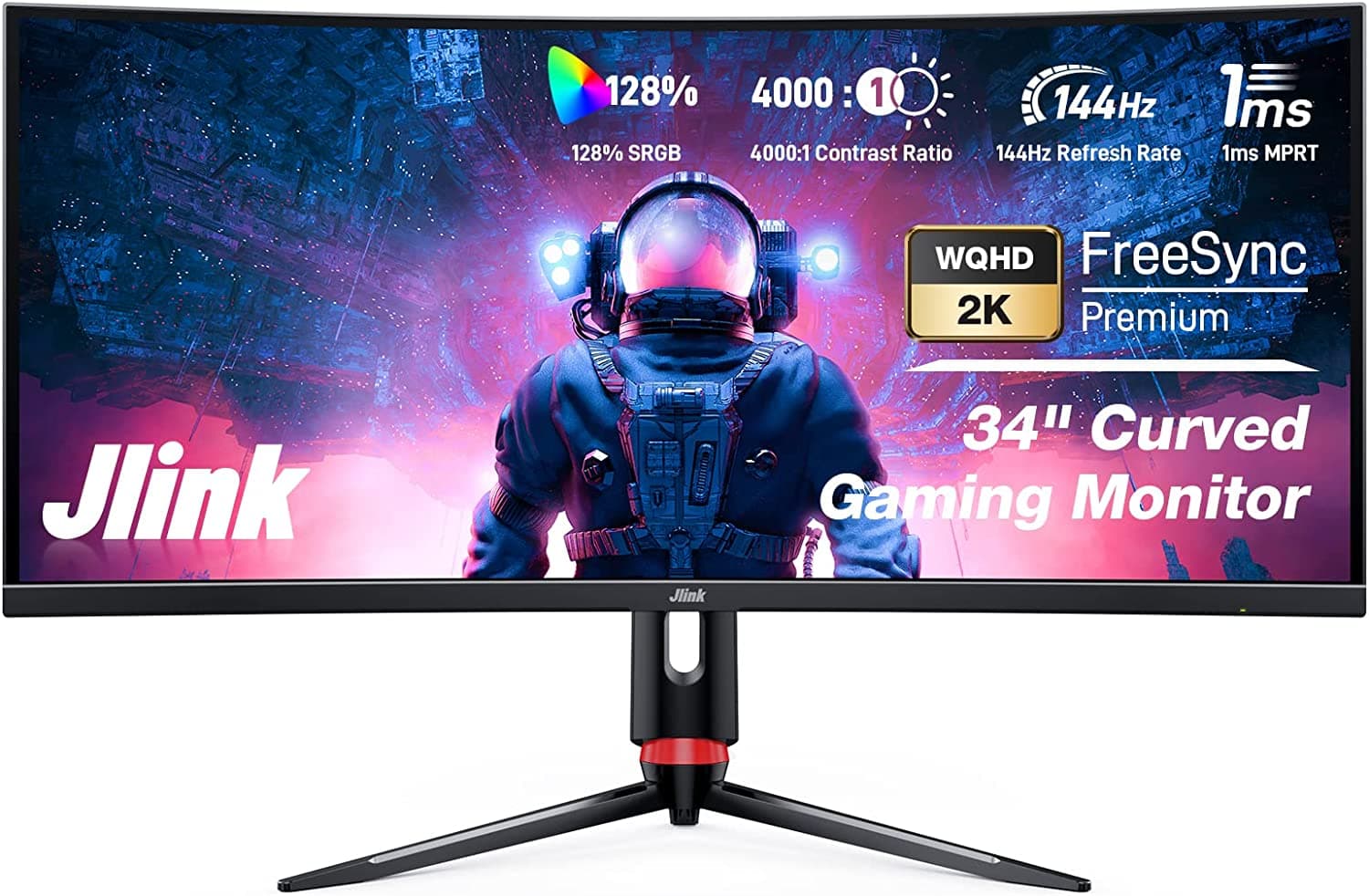
- Immersive 34‑inch ultrawide curved VA, 144 Hz – Wider field of view for RPGs and simulators; deep blacks enhance dark scenes.
- All‑round 32‑inch high‑contrast VA, 165 Hz – Balanced size and refresh for mixed‑genre gamers who also stream or watch movies.
- Portable 15‑inch USB‑C 1440p, 144 Hz – Ideal for LAN parties, dorm rooms, or travel‑heavy users.
- Budget‑friendly 27‑inch 144 Hz panel, 1440p – Solid IPS or VA panel without premium HDR or premium stands.
What to look for
1. Refresh rate & response time
Aim for 144 Hz or higher; 165 Hz panels are common on 27‑inch IPS models and give a measurable edge in shooters. Pair this with a 1 ms–4 ms (GtG) response time to keep ghosting minimal. Verify manufacturer claims with review footage, as response‑time methodology varies.
2. Panel technology
- IPS – Best color accuracy and viewing angles; excellent for competitive play and streaming.
- VA – Deepest blacks, highest native contrast; shines in dark‑themed RPGs and cinematic experiences. Modern VA panels often reach 1 ms MPRT.
- TN – Very fast response but poor color and viewing angles; now a niche choice for ultra‑budget builds.
3. Adaptive‑sync ecosystem
Match the sync tech to your GPU. FreeSync Premium benefits AMD cards, while G‑Sync Compatible covers NVIDIA. Confirm the monitor’s variable‑refresh range (e.g., 48–144 Hz) overlaps your typical frame‑rate to avoid flicker when the GPU dips below the base refresh.
4. HDR and color gamut
HDR on 1440p is still maturing. HDR400 adds a modest boost; HDR600 delivers a clearer brightness step‑up. If HDR matters, also check color coverage – target ≥95 % DCI‑P3 or 99 % sRGB. Otherwise a high‑quality 8‑bit IPS panel provides vibrant colors at a lower cost.
5. Size, curvature, and aspect ratio
The universal sweet spot remains 27 in at 1440p: dense pixels and desk‑friendly footprint. 34‑in ultrawide (21:9) panels expand horizontal vision for immersive titles but require more GPU horsepower and desk width. Curved screens reduce peripheral distortion on larger panels, though flat panels are preferred by many competitive players for precision aiming.
6. Connectivity & ergonomics
Prioritize DisplayPort 1.4 (or newer) for full 144 Hz at 1440p. Include at least one HDMI 2.0/2.1 port for consoles. USB‑C with DP Alt‑Mode is a useful laptop hook‑up. Look for height, tilt, swivel, and pivot adjustments; a VESA‑compatible mount adds future flexibility.
7. Price‑to‑performance ratio
High‑end models can exceed $600, but solid choices sit between $300–$450. Allocate budget to the spec that matters most for your primary games: higher refresh for shooters, deeper contrast for dark adventures, or HDR for visual fidelity. Watch for seasonal sales; previous‑year revisions often drop price without sacrificing core performance.
Our picks
Competitive‑ready 27‑inch IPS, 144 Hz+
The go‑to for CS:GO, Valorant, and Fortnite. IPS preserves color fidelity at the screen edges, while modern panels pair 144‑165 Hz with 1 ms MPRT and sub‑5 ms input lag. Choose a model offering both FreeSync Premium and G‑Sync Compatibility for future‑proof sync.
Shop this type: Check price on Amazon →
Immersive 34‑inch ultrawide curved VA, 144 Hz
Perfect for RPGs, simulators, and open‑world titles. A VA panel delivers ≈3000:1 contrast, making shadows pop. Keep refresh at 144 Hz to retain fluid motion, and verify FreeSync Premium if you run an AMD GPU. Ensure your desk can accommodate the wider footprint.
Shop this type: Check price on Amazon →
All‑round 32‑inch high‑contrast VA, 165 Hz
Balances size, refresh, and contrast for mixed‑genre gamers and streamers. 165 Hz keeps fast action buttery, while HDR400 adds a modest brightness lift. Look for height‑adjustable stand and VESA compatibility for ergonomic freedom.
Shop this type: Check price on Amazon →
Portable 15‑inch USB‑C 1440p, 144 Hz
Ideal for students, travelers, or LAN‑party crowd. Seek USB‑C Power Delivery with DisplayPort Alt‑Mode for a single‑cable connection to laptops or consoles. Despite the small form factor, many units hit 144 Hz and 1 ms response, making them surprisingly competitive on the road.
Shop this type: Check price on Amazon →
How to choose
- Which game genre dominates your playtime?
- Fast shooters → prioritize low input lag and 144‑165 Hz.
- Immersive RPGs/sims → favor larger, high‑contrast panels.
- How much desk space is available?
- 27‑inch flat fits most desks.
- 32‑34‑inch ultrawide or tall panels need a wider surface or wall‑mount.
- What GPU do you own?
- AMD → target FreeSync Premium.
- NVIDIA → verify G‑Sync Compatibility.
Rank the specs that matter most for your answers—refresh, panel type, size, HDR—against your budget. If a monitor excels in two areas but lacks a third (e.g., great refresh but no HDR), decide whether that omission will affect your favorite titles. Finally, read a couple of recent hands‑on reviews to confirm input‑lag and color‑accuracy claims before purchasing.
FAQ
What is the ideal refresh rate for 1440p gaming?
144 Hz offers smooth motion for most GPUs; 165 Hz provides a subtle competitive edge with a modest price increase.
Does a 1440p monitor need HDR?
HDR is optional. HDR400 adds modest brightness and contrast; many gamers are satisfied with a high‑quality 8‑bit IPS or VA panel that delivers vibrant colors without HDR.
How does panel type affect performance?
- IPS – Accurate colors, wide viewing angles; best for competitive play and streaming.
- VA – Deep blacks, high contrast; ideal for dark games and cinematic experiences.
- TN – Fastest response but poor color fidelity; largely replaced by modern IPS/VA models.
Will a 27‑inch monitor look pixelated at 1440p?
No. At a typical arm’s‑length viewing distance, a 27‑inch 1440p screen has roughly 108 ppi, which appears sharp to most users.
Is G‑Sync or FreeSync necessary?
Both eliminate tearing when frame rates fluctuate. Choose FreeSync Premium for AMD GPUs and G‑Sync Compatible for NVIDIA. Many monitors support both, giving flexibility for future upgrades.
Can I use a 1440p monitor with a console?
Yes. Xbox Series X and PlayStation 5 output 1440p, and many monitors support HDMI 2.0/2.1 at 144 Hz, delivering smooth console gaming without scaling artifacts.
Bottom line
Selecting a 1440p gaming monitor is about aligning panel type, refresh rate, size, and sync support with the games you love and the hardware you own. Competitive players gravitate toward 27‑inch IPS panels with 144‑165 Hz; immersive gamers often pick a curved 34‑inch VA ultrawide; users needing flexibility can opt for a portable 15‑inch USB‑C model. Prioritize adaptive‑sync compatibility, HDR requirements, and ergonomic adjustments, and you’ll secure a monitor that feels fast, looks stunning, and stays comfortable for marathon sessions. Happy hunting!