How to Choose a DAC for Headphones – A Practical Guide for Audiophiles
Problem: You’ve finally purchased a pair of high‑fidelity headphones, but the music still sounds dull because your computer’s built‑in sound card can’t keep up. A dedicated digital‑to‑analog converter (DAC) bridges that gap, turning digital files from phones, laptops or streamers into a clean analog signal your headphones can use. This guide shows which DAC features matter, how to match them to your headphones and listening habits, and where to spend your money for the biggest sonic gain.
Quick picks
- Portable “stick” DAC/amp combo – Perfect for on‑the‑go listening with smartphones or laptops.
- Desktop USB DAC with dedicated power supply – Ideal for a fixed workstation or home‑listening station.
- Hybrid DAC/amp with balanced outputs – Best for balanced‑compatible headphones that demand channel separation.
- Network‑enabled DAC (Wi‑Fi/ethernet) – Streams high‑resolution audio from services like Qobuz or Tidal without a computer.
- All‑in‑one portable music player with built‑in DAC – Carries storage, playback and conversion in a single pocketable device.
What to look for
1. Connection type and host compatibility
USB‑C and USB‑A are the most common interfaces. A laptop with USB‑C can power a DAC directly, while many smartphones need a Lightning‑to‑USB‑C adapter (iOS) or a USB‑OTG cable (Android). Choose a DAC that supplies both USB‑C and USB‑A cables so you can switch between laptop, desktop and phone without extra adapters. For consoles or TVs, check for optical (TOSLINK) or coaxial inputs—digital‑only connections that bypass the computer’s sound card.
2. Supported resolution and sample rate
A DAC that handles 24‑bit/96 kHz or 24‑bit/192 kHz covers virtually all high‑resolution streams. If you use DSD files, look for DSD64 (2.8 MHz) or higher. Specs like 32‑bit/384 kHz are unnecessary unless you already own recordings that use them.
3. Output power and impedance matching
Headphone impedances range from easy‑to‑drive 32 Ω to demanding 600 Ω models. A DAC with an integrated amp should list its output voltage (mV) and maximum power (mW) at a given impedance. Low‑impedance headphones need only 10‑20 mW per channel; high‑impedance or low‑efficiency planar‑magnetic drivers benefit from 30 mW + at 300 Ω.
4. Balanced versus single‑ended outputs
Balanced outputs use a four‑wire (±) connection via 2.5 mm, 4.4 mm or XLR jacks, offering better channel separation and lower noise over long cables. If your headphones have a balanced cable, a balanced DAC will unlock the most detail. Single‑ended 3.5 mm plugs still work with a balanced DAC using a proper Y‑adapter, but you won’t reap the full advantage.
5. Digital filter options and R‑2R vs. ΔΣ architecture
R‑2R (multibit) converters are praised for a “warm” feel; ΔΣ chips excel at low distortion and wide dynamic range. Some DACs let you toggle between filter shapes such as “Minimum Phase,” “Linear Phase,” or “Slow Roll‑off.” If you love tweaking sound signatures, pick a model that advertises selectable filters or multiple architectures.
6. Portability and power source
A stick DAC draws power from the host’s USB port, requiring no wall wart. Desktop units with dedicated transformers can deliver higher voltage swings but need an outlet. Choose USB‑powered if you travel often; opt for a larger powered DAC for a dedicated listening room.
7. Build quality, UI, and extras
Metal or high‑grade aluminum chassis survive bumps. An analog volume knob or remote is simpler than a menu‑driven digital control, which can add processing. Extras—Bluetooth, MFi Lightning, or network streaming—are useful only if you plan to use them.
Our picks
Portable “stick” DAC/amp combo – commuters and desktop minimalists
A thumb‑sized DAC that includes a modest amp plugs into USB‑C or USB‑A and draws power from the host. It usually supports up to 24‑bit/96 kHz and delivers 10‑15 mW per channel, enough for 32‑250 Ω headphones. Some models offer a detachable balanced cable for the few that need it. The trade‑off is limited voltage for ultra‑high‑impedance designs and a tiny rotary volume control.
Shop this type: Check price on Amazon →
Desktop USB DAC with dedicated power supply – workstation champion
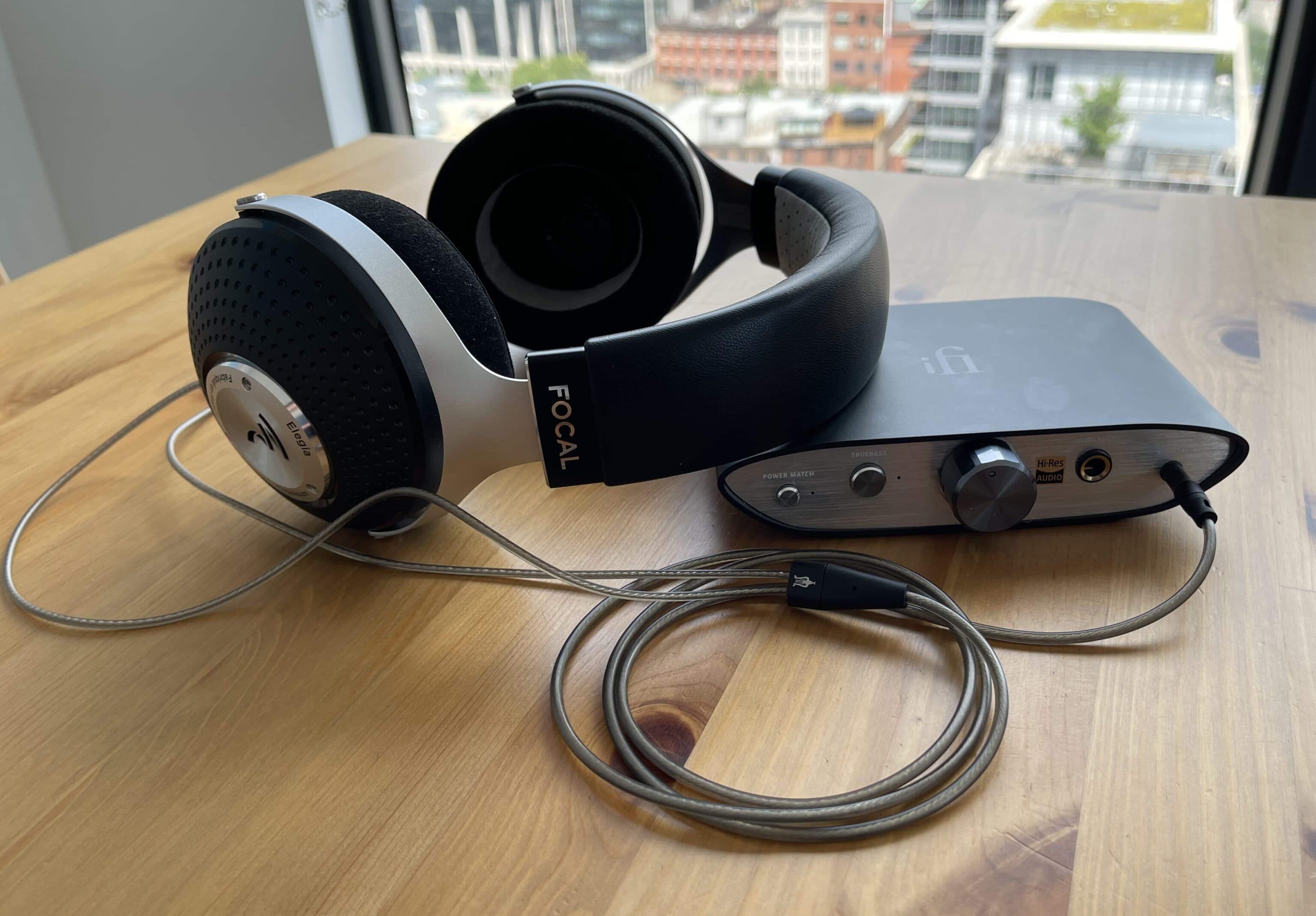
A desktop DAC sits on your desk and plugs into a wall outlet, providing up to 2 V RMS and 30 mW + at 300 Ω. Look for 24‑bit/192 kHz support and a balanced XLR or 4.4 mm output if you have a balanced cable. Most include a volume knob, line‑out for external amps, and extra digital inputs (optical, coaxial, Bluetooth). The larger chassis offers better shielding, but it isn’t travel‑friendly and costs more.
Shop this type: Check price on Amazon →
Hybrid DAC/amp with balanced outputs – pure detail seekers
When you own high‑end headphones that accept a balanced connection, a hybrid unit combines a high‑resolution ΔΣ DAC chip (often 32‑bit/384 kHz) with a dedicated balanced headphone amp capable of 50 mW + at 600 Ω. Multiple digital filter options let you dial in a “musical” roll‑off or a tighter, analytical response. You can drop a separate amp from the chain, but the footprint and price are larger, and you need a balanced cable to benefit fully.
Shop this type: Check price on Amazon →
Network‑enabled DAC (Wi‑Fi or Ethernet) – stream without a computer
A network‑enabled DAC streams lossless or high‑resolution files straight from services like Qobuz, Tidal HiFi, or a local NAS. It connects to your router via Wi‑Fi or Ethernet and usually offers USB, optical and coaxial inputs for extra flexibility. Aim for 24‑bit/192 kHz and DSD64 support, with a balanced output if your headphones require it. Some models include a small headphone amp; others are pure line‑level converters. The downside is a need for a stable network and a bit of setup.
Shop this type: Check price on Amazon →
How to choose
- Map your environment. Need portability? A USB‑powered stick DAC is the simplest route. Fixed setup? A desktop unit with its own transformer gives headroom and refined soundstage.
- Match the headphones. Low‑impedance (32‑80 Ω) models are easily driven by any DAC/amp. High‑impedance or low‑efficiency designs (300 Ω + or planar‑magnetic) demand a DAC with a robust amp—ideally 30 mW + into that load. If your headphones support a balanced cable, prioritize a DAC with a balanced output.
- Consider source material. Streaming only 16‑bit/44.1 kHz files? A DAC capped at 24‑bit/96 kHz is already overkill. For FLAC, ALAC, MQA or DSD, pick a DAC that explicitly lists support for those formats.
- Weigh extras. Bluetooth, network streaming, multiple digital inputs add flexibility but also cost and complexity. Add only what you will actually use.
FAQ
What does a DAC actually do for my headphones?
It converts digital audio data into an analog voltage that drives the headphone drivers, reducing jitter, noise and conversion errors so the recorded detail reaches your ears.
Do I need a separate headphone amp if I buy a DAC?
Not always. Many DACs include a modest amp sufficient for low‑ to mid‑impedance headphones. High‑impedance or low‑efficiency models usually benefit from a dedicated amp.
Is balanced really worth it for casual listening?
Balanced connections lower crosstalk and noise, especially over long cables. If you already own balanced headphones and run a few meters of cable, the improvement can be noticeable. For short runs or single‑ended headphones, the gain is modest.
Can I use a DAC with my gaming console?
Yes, if the console offers an optical (TOSLINK) or HDMI‑ARC output. Some DACs also accept coaxial input via an adapter.
Do higher sample rates (e.g., 384 kHz) improve sound quality?
They can capture more detail, but most listeners notice little difference beyond 96 kHz. Use a DAC that supports the highest rate of your source files to avoid down‑sampling.
How important is the DAC’s digital filter?
Digital filters shape the reconstructed waveform. Selectable filters let you choose a warmer or more analytical sound. If you enjoy fine‑tuning, pick a DAC with filter options.
Should I buy a DAC that supports DSD?
Only if you have DSD files or plan to stream DSD from services that provide it. For typical FLAC/ALAC libraries, DSD support isn’t required.
Bottom line
Choosing a DAC hinges on three questions: Where will you use it, what headphones are you driving, and what source material you play. Portable stick DACs give you on‑the‑go flexibility; desktop units deliver power and refinement for a permanent setup; hybrid balanced DACs unlock maximum detail for high‑end headphones; and network‑enabled DACs let you stream lossless music without a computer. Align the DAC’s connection options, resolution support, output power and balanced capability with your listening habits, and you’ll extract the full potential of your audiophile headphones. Happy listening!