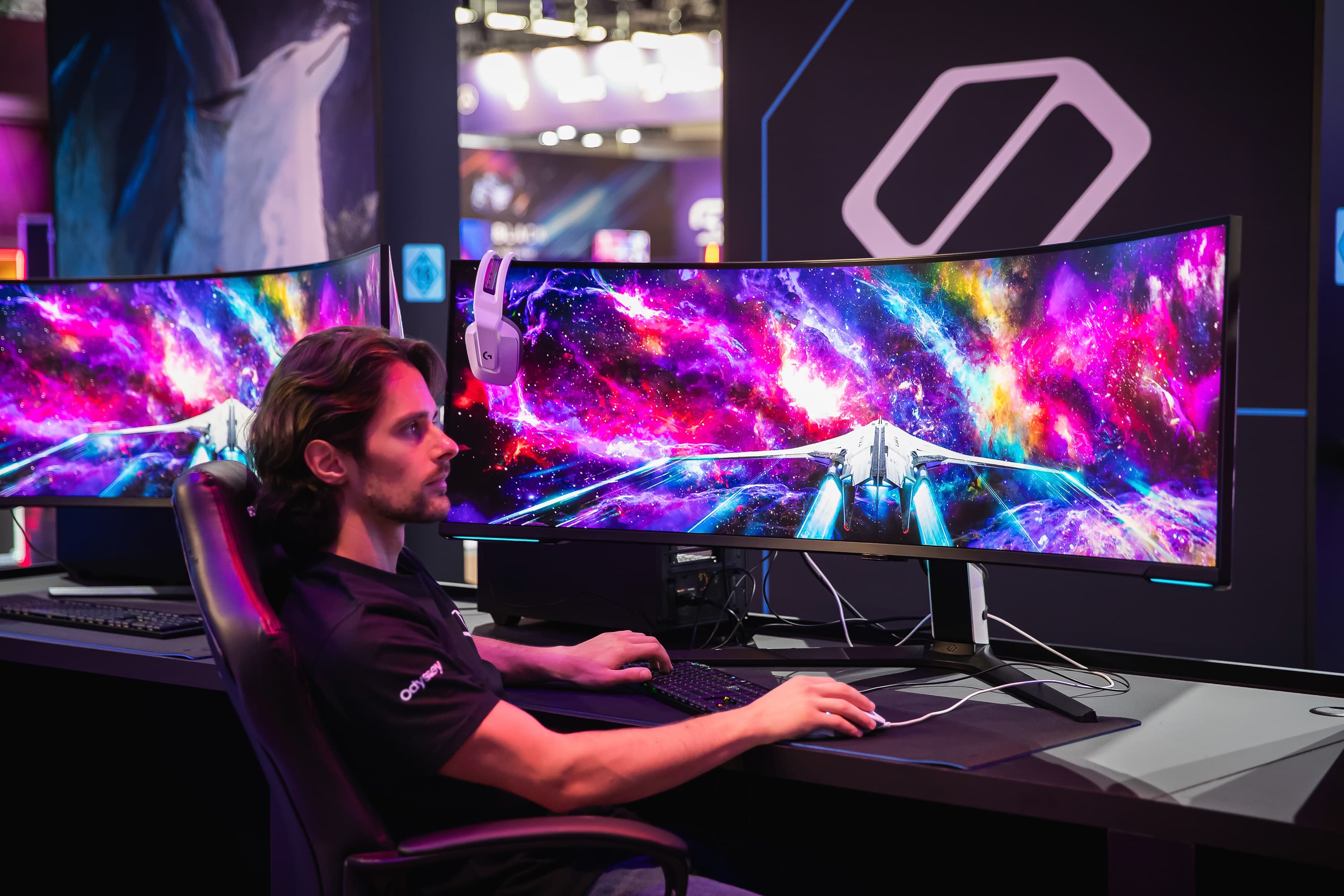
Best Gaming Monitor for Console Gamers – A Complete Buying Guide
You’ve just bought a PS5 or Xbox Series X and the TV you’re using looks blurry, lags on fast action, and can’t show HDR properly. The monitor you pair with your console will decide whether you get buttery‑smooth 120 fps gameplay or a compromised experience. This guide shows which specs matter, how they map to each console generation, and which monitor categories give the best value for your budget and room.
Quick picks
- 1080p @ 120 Hz Plug‑and‑Play – Tight‑space, budget‑friendly, high‑frame‑rate solution.
- 1440p @ 144 Hz IPS – Sharp image, wide viewing angles, supports console 120 Hz mode.
- 4K @ 120 Hz HDR – True‑4K detail, bright HDR, perfect for next‑gen consoles.
- OLED Gaming Monitor – Infinite contrast, near‑instant response, ideal for dark‑themed titles.
- Small‑Form‑Factor Curved – Wraps the view, reduces eye strain on couch setups.
What to look for
Resolution
Console hardware caps the output: PS5/Xbox Series X push native 4K @ 120 fps, while Series S and Xbox One X top out at 1440p or 1080p. Choose a panel that matches the highest resolution you intend to use; a 1080p panel stretched to 4K looks soft, while 1440p or 4K panels retain pixel‑perfect sharpness.
Refresh rate & Variable Refresh Rate (VRR)
Next‑gen consoles output 60 Hz or 120 Hz. A monitor that can display at least 120 Hz lets you see the full benefit of high‑frame‑rate titles. Look for HDMI 2.1 ports that support 4K @ 120 Hz or 1440p @ 120 Hz. VRR (Adaptive Sync on PC) eliminates tearing when the frame‑rate dips below the monitor’s limit.
HDR (High Dynamic Range)
HDR10 expands colour gamut and contrast. Aim for a panel with at least 250 nits peak brightness; 300 nits is a safer target. OLED delivers true infinite contrast, while high‑end IPS panels can achieve respectable HDR with higher brightness.
Input lag
Anything under 15 ms feels instantaneous. Gaming‑oriented monitors usually include a “Game Mode” that disables extra processing. Verify the spec sheet or trusted reviews for "input lag < 15 ms."
Panel type & viewing angles
- IPS – Accurate colours, widest angles, great for couch play.
- VA – Higher native contrast, slight colour shift at extreme angles.
- OLED – Pixel‑level dimming, perfect blacks, fast response, premium price.
Connectivity
A single HDMI 2.1 port is the sweet spot for consoles, delivering full‑bandwidth 4K @ 120 Hz. Some models add a second HDMI 2.0 or DisplayPort for PC use. Mismatched HDMI versions will force lower resolutions or refresh rates.
Size & ergonomics
Desktop rigs favour 24‑27‑inch screens to keep pixel density high at 1080p/1440p. Living‑room setups benefit from 32‑inch or larger panels, especially for 4K content. Adjustable stands (tilt, height, swivel) or VESA‑mount compatibility ensure comfortable viewing.
Our picks
1080p @ 120 Hz Plug‑and‑Play Monitor
A 24‑inch IPS panel that runs native 1080p with a 120 Hz refresh rate offers a crisp, fluid experience for shooters and sports titles. Low input lag (< 10 ms) and high brightness make it an excellent budget upgrade from a TV.
Best for: Tight budgets, small rooms, gamers who play at 1080p or 1440p. Trade‑off: No 4K detail, limited HDR.
Shop this type: Check price on Amazon →
1440p @ 144 Hz IPS Monitor
A 27‑inch IPS screen at 2560 × 1440 balances sharpness and speed. The 144 Hz panel exceeds the console’s 120 Hz ceiling, smoothing out dips when frame‑rates fall short. HDR10 support (250‑300 nits) adds colour depth without the 4K price tag.
Best for: Players seated farther from the screen, who want sharper images than 1080p while retaining high refresh rates. Trade‑off: 4K requires a different monitor; HDMI 2.0 may be needed for 144 Hz at 1440p.
Shop this type: Check price on Amazon →
4K @ 120 Hz HDR Monitor
A 32‑inch (or larger) IPS panel with 3840 × 2160 resolution, HDR10, and HDMI 2.1 delivers native 4K at 120 fps. Look for 300+ nits peak brightness and DCI‑P3 coverage > 90 % to fully exploit console HDR.
Best for: Owners of PS5 or Xbox Series X who want TV‑level fidelity on a desk and plan to watch HDR movies. Trade‑off: Higher price, larger footprint, and a decent PC GPU is required for PC use.
Shop this type: Check price on Amazon →
OLED Gaming Monitor
A 27‑inch OLED with 4K resolution offers perfect blacks, > 600 nits brightness, and sub‑1 ms response. HDR performance is outstanding, making dark, atmospheric games pop.
Best for: Visual‑purists willing to pay a premium for contrast and colour. Trade‑off: Higher cost, potential temporary image retention on static UI elements.
Shop this type: Check price on Amazon →
How to choose
- Match resolution & refresh rate – If you own a PS5/Xbox Series X and plan 4K gaming, a 4K @ 120 Hz monitor is mandatory. For older consoles or tighter budgets, 1080p @ 120 Hz or 1440p @ 144 Hz panels are optimal.
- Verify HDMI version – HDMI 2.1 is required for 4K @ 120 Hz; HDMI 2.0 suffices for 1080p/1440p at 120 Hz.
- Consider HDR – For HDR‑rich titles or movies, choose a panel with HDR10 support and at least 250 nits brightness. OLED gives the best HDR but at a premium.
- Check input lag – Aim for < 15 ms, and confirm the presence of a low‑latency Game Mode.
- Pick size & ergonomics – 24‑27‑inch for desk play, 32‑inch+ for couch setups. Ensure tilt, height, and VESA options match your furniture.
- Future‑proofing – A second HDMI 2.0/DisplayPort gives flexibility for PC use or future console updates.
Following this checklist will align the monitor’s capabilities with your console, budget, and play space, turning your console into a true high‑performance gaming rig.
FAQ
What HDMI version do I need for 120 Hz gaming on a console?
You need HDMI 2.1 to run 4K @ 120 Hz. For 1080p or 1440p at 120 Hz, HDMI 2.0 can be sufficient, but always confirm the monitor’s spec sheet.
Can I use a PC gaming monitor for my console?
Yes. Any monitor with the appropriate HDMI input, resolution, and refresh‑rate support will work with a console.
Is HDR worth the extra cost on a console monitor?
If you play visually rich games or watch HDR movies, HDR10 adds brighter whites and deeper blacks, noticeably improving image quality. Look for 250 nits+ brightness for a worthwhile upgrade.
Will a 144 Hz monitor give me an advantage in console gaming?
Consoles cap at 120 Hz, so you won’t exceed that frame count. However, a 144 Hz panel smooths out motion when the console drops below 120 fps, reducing perceived stutter.
Are OLED monitors safe for long gaming sessions?
OLED panels are safe, but static UI elements (health bars, HUDs) can cause temporary image retention if left unchanged for many hours. Use built‑in pixel‑shift or screen‑saver features to mitigate.
Do I need a monitor with built‑in speakers?
Most gamers prefer headphones or external speakers for richer audio. Built‑in monitor speakers are generally modest and not essential.
Bottom line
Choosing the right monitor hinges on three questions: What resolution does your console support? Do you need 120 Hz and HDR? and What size fits your gaming space? A 1080p @ 120 Hz model satisfies tight budgets, a 1440p @ 144 Hz panel hits the sweet spot of sharpness and fluidity, and a 4K @ 120 Hz HDR (or OLED) monitor delivers the ultimate visual punch for next‑gen consoles. Pair the right HDMI version, low input lag, and ergonomic stand, and your console will feel like a true high‑performance machine. Happy gaming!